AI SoftwareCorporation

Client-Side & Web AppsClient-Side & Web App Development

Web and mobile apps that load fast and work for everyone

We build the screens your customers and staff rely on: fast, accessible and consistent, from one shared design system.

A hand sketches a boxes-and-arrows flow on a tablet with a stylus, a code editor out of focus on the monitor behind.

Outcomes

Fast, accessible and consistent screens

  • Pages that stay fast

    Performance budgets are checked on every pull request, and real-⁠user monitoring tracks Core Web Vitals on your customers’ own devices and networks, not just on a developer’s laptop.

  • Works with keyboards and screen readers

    Semantic markup, focus management and color contrast are part of every component’s definition of done, and critical user flows are tested against WCAG success criteria before release.

  • One design language, built once

    A shared component library, with design tokens synced to your design files, keeps products consistent and lets teams assemble new screens instead of rebuilding buttons and forms.

  • Interfaces that are safe to change

    Typed code, component tests and a short list of end-⁠to-⁠end checks catch regressions before they ship, so the interface keeps evolving without breaking sign-⁠up or checkout.

Capabilities

Web apps, design systems and mobile

Customer portal, internal dashboard or phone app: each is built from the same tested parts and held to the same speed and accessibility checks.

Web applications

Customer portals, dashboards, self-⁠service flows and internal tools, built in React and TypeScript, with Next.js where server rendering, routing and search visibility matter.

  • Typed end to end, from API to component
  • Complex forms, tables and multi-⁠step workflows
  • Role-⁠aware screens and secure session handling
  • Interfaces for AI features: streaming, citations, approvals

Rendering and front-⁠end architecture

Server-⁠rendered, static or single-⁠page: we choose per route, based on search needs, data freshness and how interactive each screen is, and write the reasoning down.

  • Server rendering and static generation, chosen per route
  • Client state and data caching with TanStack Query
  • Micro-⁠frontends only when team structure demands them
  • Route-⁠by-⁠route migration from legacy front ends

Design systems and component libraries

We turn your design language into a coded, documented component library, so every team builds from the same accessible, tested parts.

  • Design tokens shared between Figma and code
  • Components documented and previewed in Storybook
  • Visual regression tests on every change
  • Versioned releases teams adopt at their own pace

Accessibility

Accessibility is built into components and checked throughout delivery rather than audited at the end, with every finding mapped to a WCAG success criterion.

  • Semantic HTML first, ARIA only where needed
  • Keyboard, focus and screen reader testing
  • Automated axe-⁠core checks in CI
  • Zoom, contrast and reduced-⁠motion preferences respected

Front-⁠end performance

We measure what users experience, set budgets for it and fix the causes: oversized bundles, render-⁠blocking scripts, unoptimized images and slow data requests.

  • Core Web Vitals tracked from real users
  • Bundle-⁠size and Lighthouse budgets in the pipeline
  • Code splitting, image optimization and caching
  • Third-⁠party scripts audited and deferred

Mobile and cross-⁠platform apps

With React Native, iOS and Android share most code, and business logic can be shared with your web app. Progressive web apps cover simpler needs without app stores.

  • React Native apps for iOS and Android
  • Offline support and background sync
  • Progressive web apps where stores aren’t needed
  • Automated builds and staged store releases

Approach

Components first, then screens, then users

  1. Step 1: Understand users and constraints

    We start with the people who will use the interface and the systems behind it: their tasks, devices and accessibility needs, and the APIs each screen depends on.

    Activities

    • Workshops with product, design and support teams
    • Performance, accessibility and analytics review of the current app
    • Inventory of the APIs and data each screen needs

    You receive

    • Prioritized user flows and audit findings
  2. Step 2: Prototype with your designers

    Designers and engineers work together from the first sketch, so what is designed can be built and what is built matches the design.

    Activities

    • Clickable prototypes tested with real users
    • Design tokens and component inventory agreed
    • Rendering and state management approach recorded

    You receive

    • Validated prototypes
    • Front-⁠end architecture decision records
  3. Step 3: Build components, then screens

    Shared components come first. Screens are then assembled from them and shipped in small increments, with a preview deployment for every pull request.

    Activities

    • Components built and reviewed in Storybook
    • Preview deployments for design and product review
    • Unit, component and end-⁠to-⁠end tests in CI

    You receive

    • Working features released in small increments
  4. Step 4: Check speed and accessibility

    Every change is checked against performance budgets and accessibility rules, and critical user flows are tested with a keyboard, a screen reader and real devices before release.

    Activities

    • Lighthouse and bundle-⁠size budgets on pull requests
    • Keyboard and screen reader walkthroughs
    • Cross-⁠browser and device testing

    You receive

    • Accessibility and performance findings for each release
  5. Step 5: Launch, measure and hand over

    Releases roll out behind feature flags while real-⁠user monitoring and error tracking show how the app behaves in the field. Your team then owns the codebase and the design system.

    Activities

    • Feature-⁠flagged rollout with error tracking
    • Real-⁠user performance monitoring
    • Pairing and a contribution guide for the design system

    You receive

    • A documented codebase and design system your team owns

Deliverables and fit

Tested code and a documented library

What you receive

8 deliverables
  • Audit of current performance, accessibility and code health
  • Validated prototypes and a written front-⁠end architecture
  • Application source code in your repositories, typed and tested
  • Component library and design tokens, documented in Storybook
  • Accessibility findings mapped to WCAG success criteria, with fixes
  • Performance budgets, real-⁠user monitoring and error tracking
  • CI pipeline with preview deployments and visual regression tests
  • Contribution guide and handover sessions for your team
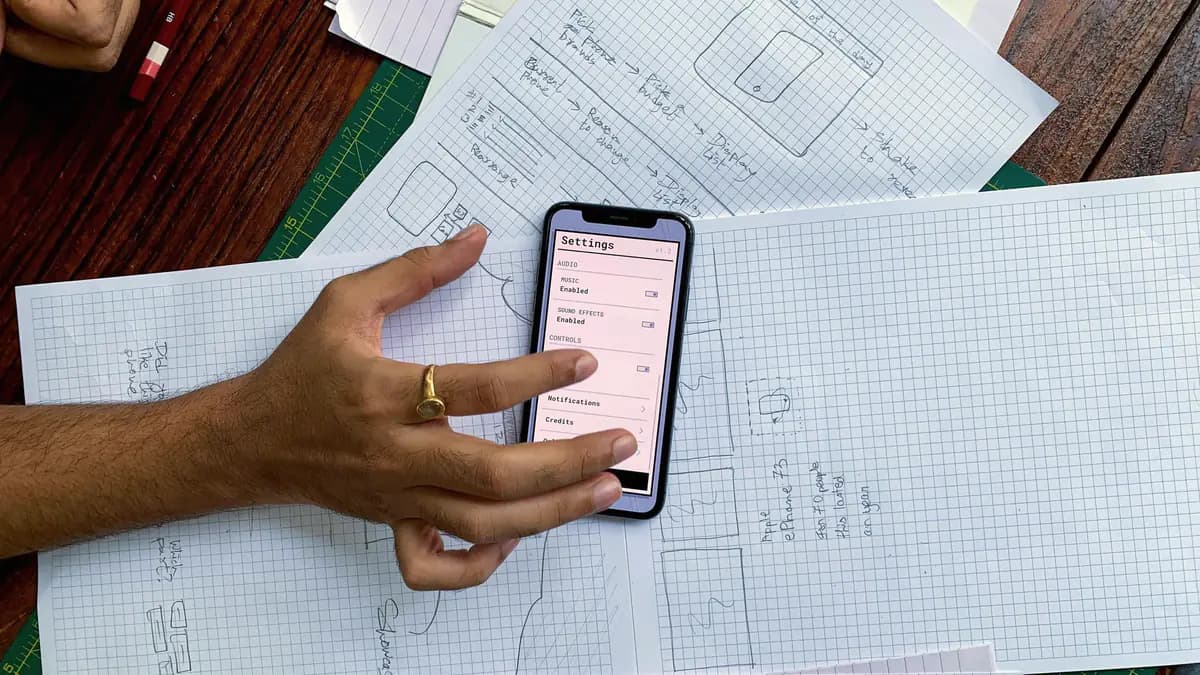
A hand holds a phone showing a settings screen over paper sketches of app screens.
A built screen checked against its paper sketch

A good fit if

  • Your web app feels slow, especially on phones and weaker connections
  • Every team builds its own buttons, forms and tables, and it shows
  • You must meet accessibility requirements and aren’t sure where you stand
  • An aging front end, such as AngularJS or jQuery, makes every change slow
  • You need an app on iOS and Android without building it twice
  • Designs look right in review but never quite match what ships

Engagement models

A new app, a long roadmap or specialists

The models that usually suit this service. You can switch as the work changes.

  • Project delivery

    A new web app, a rebuild or a design system, delivered to agreed sign-off criteria.

  • Dedicated team

    A product front end with a long, evolving roadmap and one team that knows it.

  • Team extension

    Front-end, accessibility or performance specialists working with your designers and developers.

Technology

Frameworks, design and testing tools

Listed so you can check the fit with your stack. None of them implies a partnership or certification.

Tools and platforms

  • TypeScript
  • React
  • Next.js
  • Expo
  • React Native
  • Tailwind CSS
  • Storybook
  • Figma
  • TanStack Query
  • Vite
  • Vitest
  • Testing Library
  • Playwright
  • axe-core

Illustrative scenario

Illustrative scenarioRebuilding a trade ordering portal one route at a timeRead the scenarioHide the scenario
Illustrative scenario

Rebuilding a trade ordering portal one route at a time

A building-⁠supplies distributor whose trade customers order through a web portal built on an aging server-⁠side template framework.

Challenge
Pages load slowly on the phones contractors use on site, checkout cannot be completed with a keyboard, and every new feature takes longer because layout code is copied from page to page. Freezing feature work for a full rebuild is not an option.
Approach
  1. 1Measure real-⁠user performance and audit search, reorder and checkout against WCAG success criteria
  2. 2Build a component library with the distributor’s designer, with design tokens shared between Figma and code
  3. 3Expose product, pricing and order data through a thin API over the existing platform
  4. 4Rebuild the portal in Next.js route by route, with routing rules sending migrated paths to the new app and everything else to the old one
  5. 5Gate every pull request on performance budgets, axe-⁠core checks and end-⁠to-⁠end tests for checkout
Outcome
Contractors can search and reorder from a phone on site without waiting on slow pages, checkout works with a keyboard and a screen reader, and new features are assembled from shared components instead of copied code.
Ask about a project like this

FAQ

Questions about web and mobile front ends

Ask a question

Should our app be server-⁠rendered or a single-⁠page application?

It depends on the screen. Public, content-⁠heavy pages usually benefit from server rendering or static generation, which load faster and are easier for search engines to index, while highly interactive tools behave more like single-⁠page apps. Frameworks such as Next.js let us choose per route, and we record the reasoning so your team can revisit it.

Can you work with our designers or design agency?

Yes. We work from your design files, join design reviews early to flag what will be costly to build or hard to make accessible, and turn the design language into shared components and tokens. If you don’t have a designer, we build from your existing brand and interface patterns and keep screens consistent through the component library.

Do you build mobile apps as well as web apps?

Yes. We build iOS and Android apps with React Native, so both platforms share most of their code with each other and much of their logic with your web app. Where a feature depends on device hardware or platform-⁠specific APIs, those parts are written as native modules. For simpler needs, a progressive web app can avoid app stores altogether.

Can you guarantee our application meets WCAG?

We don’t issue certifications or conformance guarantees. We build components to the WCAG level you need to meet, run automated checks on every change and test critical user flows by hand with a keyboard and a screen reader. You keep a log of what was tested, what was fixed and what is still open, ready for your own accessibility or legal review.

Can you modernize our front end without a full rewrite?

Usually, yes. The new application runs alongside the old one on the same domain, and routes move across one at a time, sharing sign-⁠in and styles so users barely notice the join. Each step ships on its own, so feature work continues while the old front end shrinks.

Next step

Which screens need work first?

Describe the system, process or decision in front of you. Expect questions back, a sensible first step and a fitting engagement model.

First step
A conversation about the problem, your systems and constraints
You leave with
A view on whether we can help, and a sensible first step
Before any work
A written proposal covering scope, team, approach and terms
Commitment
None until you approve that proposal